
Content Clipping: The Show Growth Problem Solver
How to overcome conversational drag, visual fatigue, and audience drop-off to turn raw recordings into daily discovery.
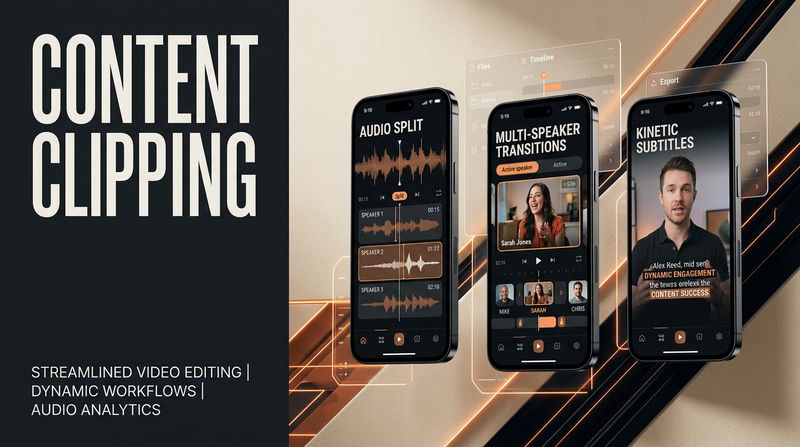

Watching an exceptional interview fail to gain traction is one of the most frustrating experiences in digital content production. You spend days researching a subject, coordinate schedules with a knowledgeable guest, record ninety minutes of valuable dialogue, and handle meticulous audio leveling. Yet after releasing the complete episode, the view counter barely registers an audience outside your immediate circle of friends and existing followers.
Most creators respond to this plateau by trying to change their recording habits. They tweak their questioning style, upgrade their visual backdrop, or scramble to book higher-profile guests. In reality, stagnant numbers rarely indicate a problem with the underlying conversation. The real breakdown is distribution friction. Expecting casual mobile scrollers to dedicate an entire hour to an unfamiliar creator is an unrealistic barrier to entry. To break this stagnation, successful digital media teams use intentional Content Clipping to translate dense recordings into punchy, high-retention discovery vehicles that capture attention across fast-moving mobile feeds.
Obstacle 1: The Build-Up Fluff Trap Kills Viewer Retention
The most common hurdle creators face when trying to cut down their own recordings is conversational drag. In a standard long conversation, valuable takeaways are earned through slow progression. A speaker might spend five minutes sharing personal anecdotes, qualifying their perspective, and establishing nuance before delivering an extraordinary, counter-intuitive insight.
When creators attempt to clip these moments themselves, they almost always start the clip at the beginning of the question. They believe the audience needs all five minutes of backstory to appreciate the final conclusion. On mobile discovery feeds, this assumption is lethal. If an uninitiated viewer does not encounter immediate value within three seconds, they swipe upward to the next post.
Before (The DIY Mistake): Starting the clip with the host asking a broad question, followed by thirty seconds of polite banter, background qualifications, and nervous conversational fillers before getting to the subject.
After (The Problem-Solver Fix): Start the video directly on the climax of the argument. Cut out the preamble and let the first sentence state a controversial conclusion, surprising statistic, or counter-intuitive claim. Use a concise visual headline at the top of the frame to provide instant context so the viewer grasps the topic immediately without listening to five minutes of setup.
Obstacle 2: Visual Stagnation and Static Widescreen Crops
A widescreen studio camera framing works wonderfully on a television set or laptop display, but it fails to hold attention on a handheld smartphone. Mobile scrolling operates on rapid visual stimulation. If a vertical video maintains a static, unmoving camera angle for more than four seconds, the viewer subconscious registers the content as sluggish, triggering an involuntary swipe.
When creators attempt to repurpose footage quickly, they often make the mistake of simply boxing their horizontal video into a vertical canvas. This leaves giant black letterbox bars filling the upper and lower halves of the screen. The speaker face becomes tiny, facial expressions disappear, and the video immediately looks like a lazy export rather than a native mobile piece of media.
Before (The DIY Mistake): Exporting a centered widescreen crop with large black borders or blurry duplicated backgrounds, leaving the camera locked on an unmoving two-shot.
After (The Problem-Solver Fix): Re-engineer the visual presentation into a true native vertical format. Crop tightly on the speaker face to emphasize emotional expression, implement active multi-cam cutting that jumps between speakers based on vocal rhythm, and apply subtle framing punch-ins every four to six seconds to keep the visual field dynamic.
Obstacle 3: The Silent Browsing Blind Spot
More than seventy percent of short-form mobile video is watched in settings where audio cannot be played out loud. Whether commuting on public transit, waiting in lines, or relaxing in quiet rooms, audiences browse with their device volume set to zero. If an extracted video clip depends entirely on spoken sound to deliver its hook, the vast majority of passersby will scroll past without ever realizing what was discussed.
Many creators attempt to address this by turning on basic automated platform captions. These default subtitles often fail miserably. They lag several words behind the speaker voice, struggle with technical industry terminology, and frequently sit along the bottom edge of the display where native app usernames and comment icons cover them up completely.
Before (The DIY Mistake): Relying on unformatted, default auto-captions that blend into the video background or sit in the lower third of the screen where native app buttons block the text.
After (The Problem-Solver Fix): Deploy high-contrast, animated kinetic typography positioned safely within vertical safe zones. Highlight key nouns and action verbs with vibrant accent colors to guide the viewer eye through the narrative, ensuring the entire argument lands with total clarity even on complete mute.
Obstacle 4: Post-Production Burnout and Erratic Publishing
Even when a creator understands how to execute high-retention vertical cuts, keeping up the routine creates massive operational friction. Scrubbing through an hour of unedited conversation, identifying eight viable standalone arguments, framing speakers vertically, setting safe zones, styling kinetic typography, and rendering separate files takes anywhere from eight to twelve hours of manual labor per episode.
For an independent creator or small team, this extra workload inevitably triggers post-production exhaustion. After a few weeks of grueling editing sessions, the clipping process gets delayed, publishing cadences become irregular, and channel momentum stalls out. Algorithmic discovery relies heavily on consistent activity. Irregular publishing schedules prevent social algorithms from learning who your ideal audience is.
Before (The DIY Mistake): Spending late nights and weekends trapped in complex editing software, leading to production fatigue, delayed episodes, and sporadic posting schedules.
After (The Problem-Solver Fix): Remove post-production friction by delegating the conversion workflow to a dedicated production framework. The host focuses solely on researching compelling guests and conducting insightful interviews, while a specialized pipeline turns the raw recordings into a daily fleet of ready-to-deploy discovery assets.
Solo DIY Repurposing vs. Dedicated Systematic Extraction
Weekly Operational Time
Solo DIY Repurposing: Demands eight to twelve hours of tedious timeline slicing, keyframing, and manual rendering for every recording session.
Dedicated Systematic Extraction: Completely hands-off delivery pipeline that handles asset identification, styling, and multi-format exporting automatically.
Output Consistency
Solo DIY Repurposing: Produces one or two sporadic clips per week, leaving the vast majority of valuable interview footage buried in long-form files.
Dedicated Systematic Extraction: Reliably extracts six to ten platform-native vertical assets from every conversation, powering a daily distribution schedule.
Visual and Safe-Zone Precision
Solo DIY Repurposing: Frequent formatting errors where subtitles, titles, or speaker faces sit behind platform like buttons, sound discs, or comment trays.
Dedicated Systematic Extraction: Pixel-perfect safe-zone calibration that ensures every visual element remains unobstructed across every social media network.
Creator Energy Allocation
Solo DIY Repurposing: Creative energy is drained by technical post-production tasks, leaving less time for high-value guest curation and interview prep.
Dedicated Systematic Extraction: Hosts remain focused on their core strength, leading discussions and building relationships, while distribution runs on autopilot.
Frequently Asked Questions
Does publishing standalone clips reduce listeners for full-length episodes?
No. Short clips serve as low-commitment discovery vehicles for new audiences. In modern media consumption, listeners rarely commit an hour to an unfamiliar voice without vetting them first. When a viewer enjoys several valuable forty-second insights on their daily feed, they develop familiarity and actively seek out the full conversation for deeper context.
Can deep, educational discussions really be condensed into sixty seconds?
Yes. Effective clipping is not about oversimplifying complex ideas; it is about isolating a single premise at a time. A sixty-minute interview contains multiple independent lessons. By giving each individual insight its own focused forty-five-second spotlight, you make valuable education accessible without diluting the depth of the master recording.
What is the minimum video equipment required to create high-performing vertical cutdowns?
High-end cinema rigs are completely unnecessary. Clear 1080p video with balanced lighting and clean audio is more than enough for mobile screens. Platform algorithms prioritize narrative hooks, viewer retention, and subtitle clarity far above expensive camera sensors.
Unlocking the Full Potential of Your Show
Growing an audience today does not require doubling your recording hours or burning out over complex editing timelines. It requires maximizing the reach of the conversations you have already finished. When every long-form recording consistently produces an organized fleet of high-retention discovery assets, audience growth becomes a continuous background system.
How many hours do you spend every week editing down your raw footage, and how many potential listeners are missing your show because your best insights remain locked inside uncut files?

Comments
No comments yet. Be the first to comment!