
Logo Clipping Campaign Guide: Fix Stalled Video Reach
How to turn corporate recordings into high-converting video clips.
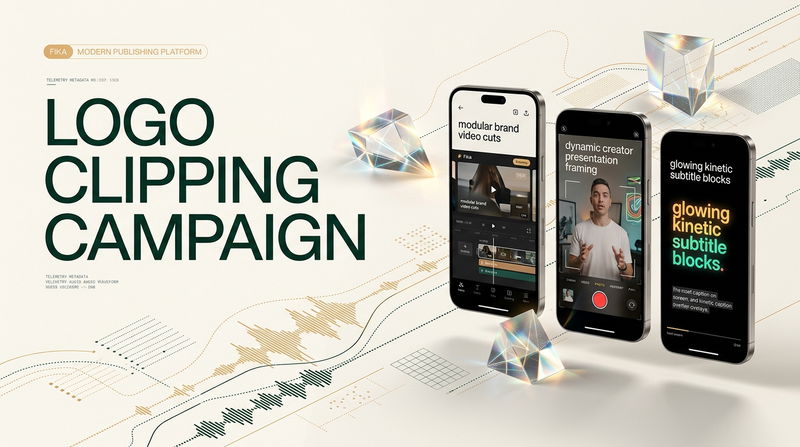

Spending weeks organizing an executive panel, technical webinar, or keynote presentation only to see the resulting recording stall at twenty views on video platforms is a deeply frustrating experience for modern marketing teams. Companies invest significant creative energy into coordinating knowledgeable speakers, refining presentation decks, and broadcasting thorough live sessions. Yet once the live event concludes, the raw recording typically gets buried inside an unvisited archive folder, producing zero new inquiries while team members scramble to brainstorm fresh social media posts from scratch. Leaders often assume that prospective clients simply have no appetite for specialized business topics, but the actual problem is delivery friction. Viewers swipe away because traditional corporate video formatting feels stiff, self-serving, and unsuited to the intimate environment of mobile video feeds.
Mobile audiences do not seek out corporate promotional pitches during their daily scrolling time. They look for practical explanations, candid professional answers, and actionable frameworks that resolve immediate workplace challenges.
Executing a structured Logo Clipping Campaign addresses this distribution bottleneck by transforming dense corporate archives into accessible, value-first educational assets. Instead of demanding that unfamiliar viewers care about a corporate brand upfront, strategic clipping leads with undeniable intellectual value, allowing brand recognition to develop naturally as a byproduct of genuine utility.
Below is a direct briefing breaking down the three biggest obstacles that cause corporate video clips to fail, complete with practical before-and-after fixes to restore audience engagement.
Obstacle 1: The Commercial Signal Reflex
The most destructive habit in corporate video repurposing is opening a short clip with an explicit commercial signal. When an unfamiliar video opens with a three-second corporate animation, a spinning emblem, or a full-screen company splash card, viewers make an instantaneous split-second judgment. They recognize the content as an uninvited advertisement and swipe past before the presenter speaks a single word.
• Before (What Stalls): Exporting a clip that begins with a branded intro card displaying the company logo, episode sponsor, and conference title while stock music plays in the background. The viewer experiences zero informational value during the opening three seconds and swipes away immediately.
• After (What Hooks): Slicing directly into the primary intellectual punchline at frame zero. The video begins on the exact vocal syllable where the speaker identifies an expensive industry mistake or surprising metric, supported by large, centered kinetic text that commands attention silently.
• The Rapid Fix: Delete all introductory title cards and logo stingers from your editing templates. Place the speaker's core thesis statement on the very first frame of the vertical cut, ensuring that scrollers encounter a compelling professional dilemma before their fingers can initiate a swipe.
Obstacle 2: The Screen Clutter Trap
Many marketing managers worry that if an explicit brand emblem is not visible at every moment, the audience will forget who produced the content. To compensate, they instruct editors to pin a large, full-color corporate logo in the top corner of the vertical frame. On a handheld mobile device, this practice backfires. The graphic fights for visual space with the speaker's face, clashes with platform interface icons, and constantly reminds the viewer that they are consuming corporate marketing collateral.
• Before (What Stalls): Placing a heavy, opaque corporate badge permanently in the upper corner of a 9:16 vertical crop. The badge obscures the background setting, draws attention away from the speaker's facial expressions, and signals corporate sponsorship to everyone browsing the feed.
• After (What Hooks): Integrated visual identity that relies on typographic harmony and natural staging. Brand presence is expressed through custom-styled subtitle colors that match the company's secondary palette, clean lower-third name tags that appear briefly during introductions, and natural physical elements present in the recording space.
• The Rapid Fix: Remove permanent floating logo files from the video overlay. Instead, adopt your brand's secondary color hex codes for kinetic keyword emphasis in the subtitles, and introduce the speaker's name and organization through a clean lower-third title card that disappears after four seconds.
Obstacle 3: The Dead-End Call to Action
A short video that earns thousands of views delivers minimal commercial benefit if viewers never explore your broader knowledge library. Traditional corporate marketing attempts to solve this by ending every video with an aggressive sales pitch or an unclickable website address, which feels transactional and alienates viewers who were enjoying the educational insight.
• Before (What Stalls): Concluding a sixty-second clip with a speaker saying, "Visit our website at company dot com to schedule a consultation with our sales team." Cold audiences who just met your brand feel pressured, find the sales pitch premature, and abandon the profile.
• After (What Hooks): Curiosity-driven search architecture that guides motivated viewers toward your primary long-form resources. The clip delivers a complete, satisfying answer to a specific question, while the caption copy provides an exact search phrase to explore the full presentation.
• The Rapid Fix: End your video on the natural resolution of the insight rather than a sales pitch. In the written description accompanying the upload, state: "Search our channel for the Complete Enterprise Migration Blueprint to watch the full keynote." Guiding viewers to search for the full recording voluntarily generates valuable organic search signals and attracts high-intent prospects naturally.
Developing Educational Series Identity
To build enduring brand authority without relying on visual watermarks, marketing teams must treat individual video clips as chapters within a larger curriculum. When clips are distributed as disconnected fragments, viewers consume the insight and move on without forming a lasting impression of your company.
Structuring your assets into distinct educational series changes this dynamic completely:
• Assign a clear umbrella title to your content initiative, such as an engineering masterclass, founder strategy breakdown, or operational briefing series.
• Maintain consistent visual rules across the series, utilizing uniform subtitle typography, identical caption highlighting patterns, and standard lower-third designs.
• Group related insights logically, allowing viewers who enjoy one specific clip to easily find adjacent lessons covering the same overarching subject.
When viewers recognize that a short clip belongs to a well-organized body of knowledge, they stop viewing your company as a vendor trying to sell a product. Instead, they view your organization as a credible industry resource, creating long-term brand equity that survives algorithmic shifts.
Operational Comparison: Legacy Marketing vs. Problem-Solver Briefing
Reviewing the fundamental differences between legacy corporate video habits and an intentional problem-solver framework illustrates why modern methods achieve higher engagement:
Opening Frame Strategy:
Legacy Habits: Lead with spinning logo cards, sponsor screens, and title graphics.
Problem-Solver Framework: Cuts straight to a compelling thesis statement or diagnostic breakdown.
Brand Visibility Mechanism:
Legacy Habits: Relies on forced, permanent watermark badges that clutter the screen.
Problem-Solver Framework: Integrates brand identity through coordinated subtitle typography, secondary color accents, and clean lower thirds.
Conversational Pacing:
Legacy Habits: Leaves long pauses, introductions, and administrative banter intact.
Problem-Solver Framework: Removes filler syllables and dead air to maintain rapid visual and vocal momentum.
Conversion Technique:
Legacy Habits: Pushes aggressive, low-converting outbound website links.
Problem-Solver Framework: Builds organic search curiosity by directing viewers toward named long-form presentations.
Audience Relationship:
Legacy Habits: Treats viewers as sales prospects to be pitched immediately.
Problem-Solver Framework: Treats viewers as intelligent professionals seeking reliable answers.
Frequently Asked Questions
How does an organization demonstrate brand authority without using a prominent logo watermark?
Brand authority is built through the depth and clarity of the insights you share, not the size of a graphic emblem. When a specialist representing your company solves a painful industry problem in sixty seconds, viewers immediately connect your organization with practical expertise. A subtle lower-third title card and professional subtitle styling provide all the brand attribution necessary.
What is the optimal video length for business-to-business short-form clips?
The most effective running time for business educational clips sits between forty-five and seventy-five seconds. This duration provides adequate room to introduce a genuine dilemma, analyze the underlying cause, and share a practical takeaway without exceeding mobile attention spans.
How many short clips can a marketing team extract from an hour-long recorded panel?
A typical sixty-minute panel discussion usually contains between four and eight strong standalone insights. Attempting to force ten or fifteen clips often results in weak, fragmented snippets that lack complete narrative resolutions. Focusing on high-density moments ensures that every published video delivers genuine value to prospective clients.
Does vertical reframing work for technical presentations with complex charts?
Yes, provided the graphics are redesigned for smartphone displays. Never squeeze an entire wide-screen slide into a vertical frame with unreadable text. Instead, crop closely into the specific data point or chart element the speaker is explaining, ensuring the graphic remains legible on a handheld screen.
How can marketing teams measure whether short clips actually drive brand authority?
Track meaningful engagement metrics rather than superficial view counts. Monitor video bookmarks, comment depth, and inbound organic searches for your company name and source presentations. When prospective clients reference a specific insight from a short-form clip during an introductory sales conversation, you have tangible proof that your video content is driving real brand authority.
Actionable Takeaway and Discussion
Transforming corporate video archives into an effective audience acquisition engine does not require massive advertising budgets or sensationalist content tactics. It requires respecting mobile viewing habits, eliminating visual clutter, and leading with immediate professional utility. When you focus on solving real-world challenges for your prospective audience, brand recall and commercial trust follow naturally.
What specific long-form presentation or client workshop in your company's library holds valuable insights that have not yet been shared with the public, and how could reframing those ideas into a focused problem-solving clip help introduce your team to a broader professional audience? Share your thoughts and operational hurdles below, and let us discuss creative ways to build your company's video syndication engine.

Comments
No comments yet. Be the first to comment!