
How Content Clipping Turns Old Videos into Real Reach
Why full-length recordings get ignored on mobile feeds and how modular video extraction unlocks consistent organic reach.
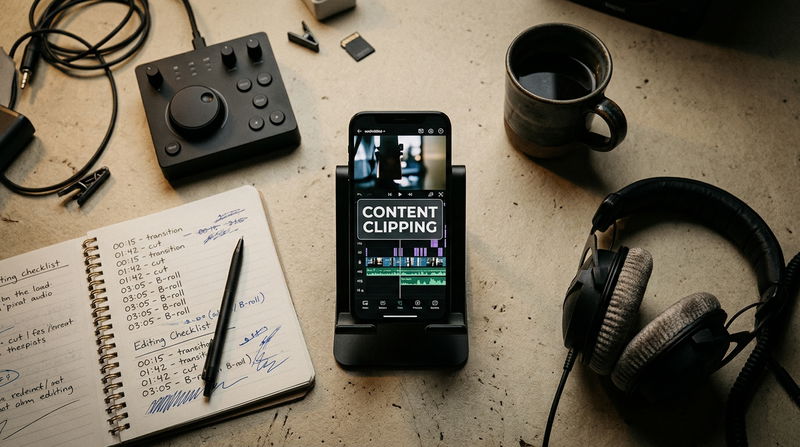

Sitting on gigabytes of recorded video files while struggling to come up with fresh ideas for this week's social media posts is one of the most maddening situations a creator or marketing team can face. You know you have already shared brilliant insights during live webinars, keynote presentations, client workshops, and long interviews. Yet those full-length recordings remain trapped on unvisited video hosting pages, collecting dust while you agonize over what to write or film next. The standard routine of dropping an entire sixty-minute link onto your social feeds with a polite caption rarely brings in anyone new. People scrolling through their phones during a quick break simply do not have the time or patience to gamble an hour on an unfamiliar face.
Mobile audiences do not search video directories when looking for answers or inspiration. Instead, they discover trusted educators and industry leaders through bite-sized, vertical video clips that surface directly in their daily algorithmic feeds. When your sharpest ideas remain hidden inside massive, uncut video files, your business stays invisible to the very people searching for your help. Adopting a focused system for Content Clipping solves this distribution problem by breaking down your existing video library into self-contained discovery assets built to catch attention on mobile screens.
Turning an unplayed video archive into a dependable stream of new followers means fixing three specific hurdles that cause most repurposed clips to get ignored.
Obstacle 1: The Context Trap and Rambling Introductions
The biggest mistake creators make when pulling clips from older footage is assuming the audience already knows who is speaking and why the topic matters. Most informal clips start right in the middle of a thought, with small talk, inside jokes, or references to an earlier question that makes no sense out of context.
This habit kills retention because mobile viewers make up their minds in less than two seconds. If the first few words do not present a clear challenge, a surprising fact, or an immediate answer to a frustrating problem, the viewer assumes the video is directionless and swipes away. When algorithms see people leaving instantly, they assume the clip is uninteresting and stop showing it to new viewers.
The fix is establishing a standalone epiphany standard for every single clip. Before cutting any footage, look for an isolated thirty-second window where the speaker delivers a complete, practical thought.
The opening frame must hit the viewer with the core problem immediately. Eliminate greetings, host banter, and conversational warm-ups entirely. The audience should know what the clip is about within the first sentence. A viewer who has never heard your name should be able to watch thirty seconds, understand the lesson clearly, and walk away with a practical takeaway. When viewers watch an entire video without dropping off, platforms notice and begin sharing that clip with broader audiences.
Obstacle 2: Conversational Sluggishness and Attention Leaks
Conversations on a stage or in a studio room have a natural, relaxed tempo. Speakers pause to collect their thoughts, take deep breaths between ideas, and use verbal filler words while framing complex concepts. In person, those pauses feel completely normal because the physical room provides shared presence.
On a handheld smartphone display, that same casual pacing feels agonizingly slow. When a video lingers on silent gaps or hesitation words like "um," "you know," or "sort of," the viewer's brain registers the pause as an invitation to swipe away. They exit before the speaker ever gets to the actual lesson, leaving the video with weak completion rates.
Fixing this pacing problem requires micro-trimming the dialogue track during post-production. Editors inspect the audio waveform, removing conversational dead air and hesitations down to the millisecond.
The goal is not to make the speaker sound frantic or unnatural, but to keep the momentum moving forward without uncomfortable silences. Trimming unnecessary gaps ensures that every sentence links tightly to the next. When you combine tight audio pacing with subtle visual transitions, like punching in slightly on a key word or switching angles when a second person responds, the video gains an engaging rhythm that holds the viewer's attention right through to the final second.
Obstacle 3: Format Distortion and Screen Edge Clutter
The third common roadblock is failing to format the footage for modern smartphone displays. Many marketing teams simply export a wide horizontal video, place it onto a vertical background with blurred borders, and stick a giant corporate logo or a paragraph of tiny subtitles across the bottom of the screen.
This creates an immediate problem because mobile apps place interactive icons right over the edges of the video. The right side of the screen holds like, comment, and share buttons, while the bottom section holds account names, sound tags, and post descriptions. When subtitles or important visual elements sit near the borders, the app interface blocks them completely. Furthermore, letterboxed horizontal footage wastes more than half of the vertical screen, making the video look amateurish and uninviting.
High-retention editing uses interface-safe container mapping. The original video is cropped into a 9:16 vertical aspect ratio, keeping the speaker's eyes along the upper-third guideline.
All kinetic subtitles, graphic callouts, and subtle branding marks are anchored safely in the upper-middle container where mobile screens remain clear of platform buttons. Subtitles appear in synchronized phrase clusters of one to three words that populate at the exact millisecond each syllable is spoken, highlighting primary keywords with high-contrast accent colors. The viewer can easily follow the argument even with their device audio turned off, while the polished visual presentation reinforces brand authority.
Practical Execution FAQ
How many vertical clips can be extracted from a typical one-hour recording?
A single sixty-minute presentation or interview typically yields six to ten high-impact vertical assets. It is best to avoid turning every casual exchange into a video. Focusing strictly on moments that deliver complete, standalone value ensures every published asset reflects high editorial standards and delivers genuine value to cold viewers.
Can an organization repurpose older recordings that were filmed months ago?
Yes. Evergreen business insights, leadership frameworks, and technical advice do not lose their value simply because the calendar changes. Most established companies sit on hundreds of hours of recorded presentations, internal workshops, and conference talks that have never been shared with the public. Repurposing these archives allows you to establish an active, authoritative social media presence immediately without needing to step into a recording studio.
What is the ideal video duration for a top-of-funnel discovery clip?
The most reliable duration for top-of-funnel discovery clips sits between twenty-five and forty-five seconds. This time window provides adequate room to state a problem, deliver a concrete solution, and provide a clear conclusion, while remaining short enough to sustain high completion rates and encourage repeat viewings.
Turning Past Conversations into Ongoing Growth
Building a growing audience does not mean you have to spend every single week filming brand-new videos or stressing over blank scripts. If your team has already recorded webinars, podcasts, client training sessions, or live presentations, you have already completed the heaviest part of the work.
The difference between content that sits forgotten on an old hard drive and content that generates daily inbound interest comes down to how you package it. By eliminating dead air, designing for mobile safe zones, and packaging isolated epiphanies into punchy vertical clips, you turn your archived footage into an active discovery engine. When you deliver immediate value right inside the mobile feed, viewers naturally remember your message, trust your expertise, and seek out your complete catalog for more.
What has been your team's biggest challenge when trying to repurpose older video archives into vertical discovery clips? Is it isolating the best thirty-second hook from an hour of conversation, or does the technical editing process take up too much of your weekly schedule? Share your thoughts below, and let us discuss what works best in modern video distribution.

Comments
No comments yet. Be the first to comment!