
Podcast Clipping Agency: The Content Longevity Fix
Solving conversation decay by transforming extended interviews into self-contained vertical video assets that sustain ongoing show discovery.
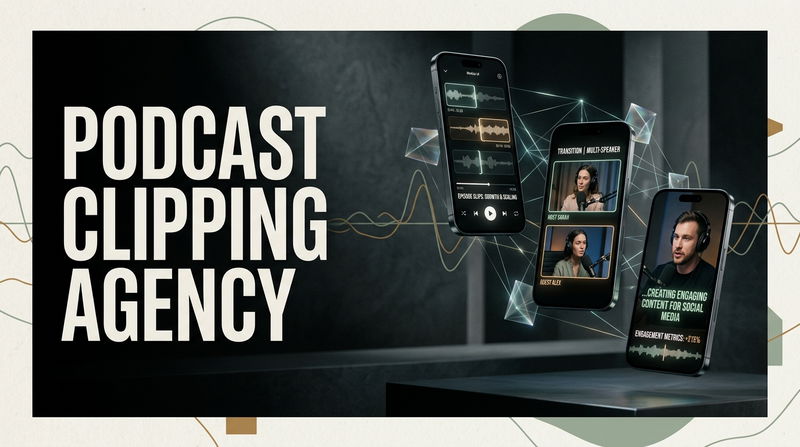

One of the most persistent creative frustrations facing interview hosts and independent show producers is the rapid decay of a finished episode. A production team can spend weeks researching a guest background, organizing thoughtful questions, and conducting a deep, nuanced dialogue. Once the final recording is polished and uploaded to audio feeds, the release enjoys a brief burst of attention over the weekend, only to vanish into digital obscurity by Tuesday afternoon.
Most creators interpret this quick drop-off as a sign that the audience has moved on or that the subject matter lacked lasting relevance. In almost every case, the underlying ideas remain deeply valuable. The failure is not in the thinking, but in the format. An hour-long conversational recording is an unwieldy container for ongoing discovery. Cold audiences scrolling through mobile applications do not have sixty uninterrupted minutes to evaluate an unfamiliar voice. Transforming recorded conversations into compounding audience reach requires partnering with an intentional Podcast Clipping Agency to dismantle extended sessions into self-contained vertical video assets, delivering your most compelling ideas directly into daily mobile discovery streams.
Obstacle 1: Conversational Runway Kills Opening Mobile Attention
The initial point of failure for unmanaged video excerpts is introductory drag. In an extended audio conversation, an experienced host naturally spends five to ten minutes establishing comfort. They share light pleasantries, review logistical housekeeping, and ease slowly into the first question. For an existing fan tuning in for a long drive, this relaxed runway builds warmth and community. On a mobile discovery feed, that exact same introductory pacing guarantees an instant upward swipe.
Mobile scrollers operate in rapid decision windows. If an extracted video clip begins with casual banter, audio adjustments, or ten seconds of throat-clearing before an idea is expressed, the impression is permanently lost. Unfamiliar viewers do not grant unvetted speakers the benefit of patience; they evaluate relevance in less than two seconds.
Before (The Common Mistake): Exporting a video segment that begins at the start of a conversational exchange, forcing the viewer to sit through thirty seconds of pleasantries and conversational preamble before the point is made.
After (The Practical Fix): Edit out the verbal runway entirely. Launch the excerpt on the exact frame where the speaker delivers their most counter-intuitive observation, definitive conclusion, or provocative question. Place a clear on-screen premise headline across the top third of the frame to establish immediate context before the viewer thumb can move.
Obstacle 2: Static Visual Staging Triggers Eye Fatigue
Conversations are an auditory medium, but modern handheld platforms operate strictly on visual engagement cues. Many creators attempt to share their show by posting a stationary wide camera angle of two people seated across a table, an unmoving album cover graphic, or an animated waveform that repeats across a static background.
When a vertical video lacks visual movement, the viewer subconscious registers the post as passive background noise. Eye-tracking data demonstrates that mobile users rarely linger on motionless visuals during active browsing sessions. If the framing does not present visual movement or emotional expression, the user swipes away before their auditory senses can even process the spoken argument.
Before (The Common Mistake): Leaving a single static camera running for forty seconds, showing a distant wide shot of both speakers with empty space dominating the frame.
After (The Practical Fix): Deploy dynamic multi-camera reframing that cuts between the speaker and the listener. Punch in slightly on words that carry emotional weight, capture subtle facial reactions, and synchronize visual transitions with the natural cadence of speech to keep the visual rhythm active.
Obstacle 3: The Silent Scrolling Blind Spot Eliminates Audience Reach
A substantial majority of vertical video browsing takes place with device volume completely muted. Creators often assume that because they produce conversational audio, anyone who comes across their post will automatically tap their phone screen to unmute. This single assumption causes thousands of valuable discussions to be ignored completely.
If a video excerpt appears on a muted feed without dynamic on-screen text, the passerby sees an unidentified person moving their lips in absolute silence. Without any indication of what is being discussed, what the core dispute is, or why the message matters, the user swipes past instantly. An uncaptioned conversational video is essentially invisible to the vast majority of mobile traffic.
Before (The Common Mistake): Relying entirely on raw vocal audio or basic system-generated subtitles that blend into light backgrounds and contain misspellings of industry terminology.
After (The Practical Fix): Integrate high-contrast kinetic typography positioned safely within central platform margins. Highlight key thematic words in contrasting accent tones, allowing the full intellectual argument to land visually and prompting viewers to unmute for the complete experience.
Obstacle 4: Post-Production Fatigue and Publishing Inconsistency
Even when a creator recognizes the mechanics of short-form video, maintaining a steady publishing schedule independently creates immense operational resistance. Identifying the strongest moments from an extended recording, adjusting vertical aspect ratios, correcting safe zones, styling kinetic subtitles, and scheduling posts across multiple platforms requires ten to fifteen hours of technical labor every week.
For an author, founder, or interviewer who needs to focus on researching upcoming topics, preparing guest outlines, and running their primary business, this post-production burden inevitably leads to creator burnout. Video quality slips, release schedules become sporadic, and distribution momentum stalls before discovery engines can identify the ideal audience.
Before (The Common Mistake): Spending late evenings trapped inside complex timeline editing software, leading to mental fatigue, delayed promo releases, and sporadic publishing that stalls algorithmic momentum.
After (The Practical Fix): Remove operational friction by delegating the conversion workflow to a dedicated production framework. The host focuses solely on conducting deep, thoughtful discussions, while an external pipeline transforms raw recordings into an organized, daily fleet of ready-to-deploy visual assets.
Solo Host DIY Editing vs. Dedicated Agency Production
Weekly Operational Time
Solo Creator Workflow: Demands twelve to sixteen hours per week spent manually cutting timelines, reframing footage, and fixing subtitle timing.
Dedicated Production Pipeline: Completely hands-off delivery workflow that converts raw multi-channel footage into finished vertical assets without draining creative energy.
Weekly Asset Output
Solo Creator Workflow: Typically limited to one or two basic cutdowns per week due to time constraints and technical exhaustion.
Dedicated Production Pipeline: Consistently produces eight to twelve high-retention vertical assets per episode, enabling a dependable daily publishing cadence.
Interface and Safe-Zone Precision
Solo Creator Workflow: Prone to layout mistakes where subtitles, guest names, or face framing are covered by platform icons and description trays.
Dedicated Production Pipeline: Calibrated safe-zone alignment that ensures every visual element, subtitle line, and credit remains completely visible across all social networks.
Creative Bandwidth Allocation
Solo Creator Workflow: Creative focus is divided between technical editing tasks and editorial preparation, often leading to uneven interview depth.
Dedicated Production Pipeline: Hosts preserve their mental energy for research, critical thinking, and conversation while an automated distribution pipeline manages audience discovery.
Frequently Asked Questions
Will sharing short video cutdowns reduce the download numbers of full-length episodes?
Audience metrics show the opposite outcome across every major show category. Short video highlights act as low-friction discovery gateways. When a mobile user repeatedly encounters compelling forty-second insights from your conversations on their daily feeds, they develop trust in your perspective. Over time, that trust converts casual scrollers into committed listeners who subscribe and download full episodes for long commutes.
How many video highlights can realistically be extracted from a one-hour interview?
A substantive sixty-minute conversation yields between six and ten independent, high-value highlights. The goal is to focus on complete, self-contained thoughts rather than chopping the episode into arbitrary thirty-second pieces. Each selected highlight must deliver a practical lesson, an intriguing story, or an unexpected perspective on its own merit.
What part of a conversation makes the most engaging short-form clip?
The strongest clips center on moments of vulnerability, counter-intuitive industry insights, impassioned debates, or practical frameworks that solve a specific problem. The clip must offer immediate intellectual or emotional value within the first two seconds to stop the scroll.
Sustaining Conversation Longevity
Building an enduring media presence does not require chasing fleeting Internet trends or sacrificing your creative sanity to complex editing timelines. It requires respecting the value of the conversations you have already recorded and ensuring those insights reach the people who need them most. When every completed episode fuels an ongoing system of focused, high-retention discovery assets, your ideas continue working for you long after the recording wraps.
What has been your biggest obstacle when sharing long-form discussions on mobile feeds, and which step of the video editing process creates the most friction for your team? Share your experiences and questions in the comments below.

Comments
No comments yet. Be the first to comment!