
Why Great Ideas Get Trapped in Unwatched Company Videos
How to deconstruct recorded workshops and founder calls into modular vertical assets that actually reach new audiences.
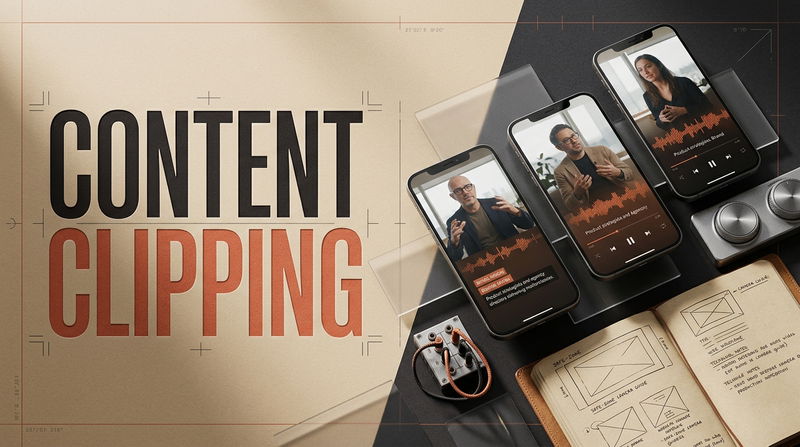

Spending hours delivering an insightful internal workshop, technical product walkthrough, or founder consultation only to have the recording gather dust in a private drive is an everyday frustration for growing teams. Founders and domain specialists routinely share breakthrough insights, solve complex operational challenges, and explain detailed methodologies during live calls, yet those valuable explanations remain locked away behind sixty-minute video files that nobody outside the call will ever watch. When marketing teams attempt to share this footage by cutting random two-minute snippets and posting them to social channels, the posts fall flat. Viewers flick past within seconds, viewer retention graphs show immediate drops, and leaders assume that their intellectual property is simply too niche or technical for modern social audiences. Embracing a disciplined workflow around Content Clipping breaks down this wall, transforming extensive recorded sessions into punchy, modular discovery assets that present complex expertise in a format tailored for fast-scrolling mobile feeds.
The underlying challenge is not a lack of interest in your knowledge. The problem is that long-form conversational video is structurally misaligned with how people consume media on handheld screens. Mobile users who check their devices between meetings, on commutes, or during quiet evening moments will not commit forty minutes to an unvetted recording.
Unlocking the hidden value in your recorded knowledge requires solving three specific operational bottlenecks that sabotage video repurposing, along with direct adjustments to help your ideas find an audience.
Obstacle 1: The Insider Jargon Trap (Assuming Cold Viewers Understand the Lore)
The most common operational mistake when extracting moments from internal workshops or client consultations is pulling a soundbite that makes sense only if the viewer knows the project history. An editor hears a founder deliver an impassioned explanation at minute twenty-four and exports a sixty-second clip. However, because the speaker uses internal project code names, references a previous client failure from six months earlier, or relies on industry-specific acronyms, a cold viewer browsing a mobile feed has no idea what is being discussed.
When a video demands background context that the audience does not possess, viewers feel alienated and swipe to the next item in their feed. A successful mobile asset must function as an independent, self-contained insight. A viewer should be able to grasp the problem, understand the reasoning, and walk away with a practical lesson without knowing who the speaker is or what company they run.
To overcome the insider jargon trap, select and structure moments built on universal fundamentals:
Identify Standalone Operational Principles: Look for moments where the speaker explains a broad rule of thumb, shares an unexpected insight learned from a misstep, or outlines a clear method for solving a recurring business friction point. These observations carry broad appeal and require no internal company background to appreciate.
Replace Proprietary Labels with Universal Terms: If a brilliant explanation contains internal project names or obscure terminology, trim those specific words or insert a clean text overlay that clarifies the term in simple language.
Provide Complete Logical Closure: Ensure the excerpt answers the exact question or tension it raises. Never cut a thought in half in an attempt to force the viewer to hunt down a full recording; deliver the complete answer directly to earn the audience's trust.
Obstacle 2: The Stage Separation Problem (Distant Horizontal Framing on Small Screens)
Widescreen video recorded for desktop monitors or conference room displays relies on a relaxed horizontal 16:9 composition. The camera captures wide tables, wall whiteboards, and generous negative room space around the presenter. When teams share this material on social platforms, they often paste the horizontal video directly into a vertical frame, filling the top and bottom with blurred bars.
This layout creates immediate psychological detachment. A smartphone screen is intimate, handheld, and held roughly twelve inches from the user's face. When a presenter appears as a tiny figure sitting in the center of the screen, subtle facial expressions and natural eye contact become impossible to read. The human connection that keeps viewers watching disappears, and the viewer categorizes the post as an impersonal broadcast rather than an intimate one-on-one conversation.
Fixing this spatial disconnect requires adapting the footage for vertical mobile screens:
Crop for Direct Eye Contact: Re-frame the footage into a native 9:16 vertical canvas (1080 by 1920 pixels). Crop in tightly so the speaker's head and shoulders occupy the upper sixty percent of the frame, with their eye line resting roughly one-third of the distance from the top edge. This creates direct visual engagement that mirrors a personal video call.
Stack Collaborative Exchanges: In two-person consultations or panel recordings, avoid cutting away from the listener for long periods. Stack the active speaker above the listener in a clean vertical split. Seeing real-time nods, focused listening, or surprised reactions keeps the visual rhythm high and invites the viewer into the human energy of the conversation.
Respect Platform Safe Zones: Keep faces, graphics, and subtitles clear of the lower thirty percent and the far right edge of the frame. Native application interfaces place usernames, follow icons, sound tags, and comment trays over those regions. Keeping your core visuals centered ensures that platform buttons never obscure your presentation.
Obstacle 3: The Conversational Warm-Up (Losing Audiences in the Setup)
In live client meetings and recorded presentations, speakers naturally begin their answers with conversational pleasantries, throat clearing, or lengthy introductory setups. A speaker might spend twenty seconds thanking the host, laughing about a previous comment, or establishing broad historical context before delivering their core observation.
While this relaxed pacing feels completely appropriate during an informal live meeting, it causes instant abandonment on mobile discovery feeds. Viewers evaluate content in less than two seconds. If a video opens with a speaker adjusting their microphone, smiling awkwardly, or offering conversational filler like "Well, to answer that, we first need to look back at how we handled onboarding two years ago," the viewer moves on before hearing a single insight.
Capturing mobile attention requires sharp front-end editing:
Lead with the Primary Tension: Cut the video directly into the speaker's most surprising or counter-intuitive statement. If the speaker says, "Most customer churn happens because product teams confuse usage frequency with actual satisfaction," make that exact sentence your very first frame. Deliver the tension upfront to stop the viewer from scrolling.
Tighten Conversational Pauses: Inspect your editing waveform and shave down natural pauses between sentences. Trimming pauses by even a fraction of a second maintains narrative drive without making the speaker sound unnatural or frantic.
Rely on Kinetic Typography: More than half of all mobile video is consumed in environments where sound is muted or kept low. Bold, word-synced subtitles positioned across the middle third of the frame ensure that viewers can read the argument instantly, allowing the message to connect before they even decide to unmute their device.
Practical Questions Teams Ask About Video Repurposing
How many vertical clips can realistically be extracted from a one-hour recording?
A typical sixty-minute workshop or technical presentation generally yields between four and eight high-impact, standalone clips. Attempting to force fifteen or twenty clips out of a single recording usually leads to weak, fragmented snippets that lack substance.
Focus strictly on complete, valuable thoughts. Publishing four or five sharp, actionable insights per week will build far more credibility and audience trust than flooding feeds with rushed outtakes that leave viewers confused.
What should a team do if the visual quality of older footage is relatively modest?
Never let modest video resolution stop you from utilizing valuable archives. Mobile audiences care far more about clear sound, tight pacing, and practical ideas than expensive camera sensors.
If your source video comes from an older webcam or a standard virtual meeting recording, make sure the vocal audio is normalized and clear. Crop the frame closely to preserve eye contact, and rely on crisp, high-contrast kinetic subtitles. The clarity of the text and the strength of the concept will carry the asset, even if the underlying video resolution is average.
How do you encourage viewers to explore your full-length work without sounding pushy?
Avoid using aggressive sales pitches, flashing arrows, or loud closing slides telling viewers to sign up for a newsletter or visit a website. Those promotional tactics pull the viewer out of the educational experience, causing them to swipe away early and hurting your video completion rates.
Keep the video frame completely focused on delivering value. In the pinned comment, state the speaker's name, share the full title of the presentation, and let interested viewers know that the complete recording is available through your profile link. When a short excerpt genuinely solves a problem, high-intent viewers will take that path naturally.
Turning Company Knowledge into Lasting Reach
The modern digital media environment does not require you to turn on a camera and invent fresh talking points every single morning. The deepest, most authoritative ideas are often already sitting in your archives, recorded during live presentations where you or your team were solving real problems for real people.
When you resolve the insider jargon trap, re-frame your footage for handheld screens, and eliminate conversational warm-ups, your past recordings stop being dead weight in a cloud drive. They transform into an active, sustainable discovery engine that introduces your thinking to thousands of new people every week.
How do you currently handle your recorded presentations and workshops? Are they sitting forgotten in storage folders, or have you found an effective way to turn them into ongoing reach? Share your current workflow and biggest repurposing hurdles in the discussion below.

Comments
No comments yet. Be the first to comment!