
Why Your Best Podcast Moments Never Reach New Listeners
Practical fixes for the three visual and pacing mistakes that keep great conversations locked inside audio directories.
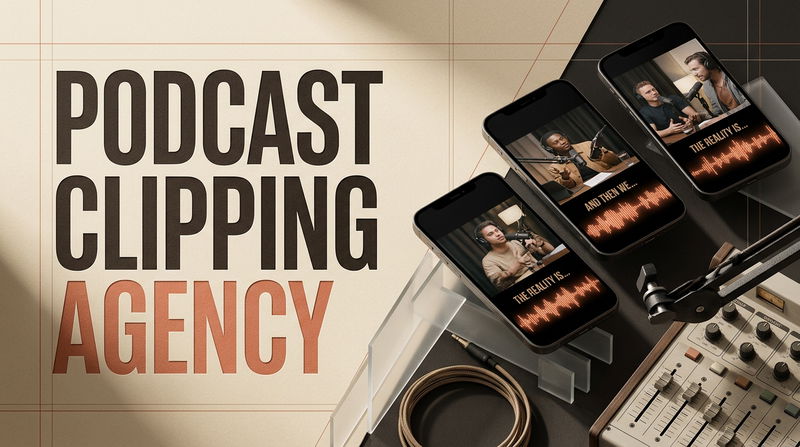

Spending three days preparing for an interview, recording ninety minutes of deep discussion, and editing the audio to perfection only to see twenty downloads on release day is an exhausting reality for most creators. Hosts often assume that producing thoughtful, high-value conversations is enough to build an audience. Yet traditional podcast apps offer zero browse-based discovery for new shows. Expecting someone who has never heard your voice to commit forty minutes of their day to an unvetted audio file is an uphill battle. Deciding whether to build an internal video repurposing pipeline or partner with an experienced Podcast Clipping Agency comes down to solving a fundamental distribution puzzle: how to package your deepest conversational insights so mobile scrollers stop, listen, and subscribe.
When a podcast fails to find an audience, the problem is rarely the quality of the thinking. The breakdown happens because long conversations are locked behind the high barrier of audio players. Modern audience discovery occurs on visual mobile feeds, where people sample ideas in thirty-second increments while taking a break from their workday.
If your video snippets are failing to convert viewers into regular listeners, you are likely running into three common operational hurdles. Here is how to address each one directly.
Obstacle 1: The Widescreen Trap (Distant Visuals on a Handheld Screen)
The most common mistake teams make when sharing video podcasts is taking a traditional horizontal recording and dropping it directly into a vertical post with blurry borders on top and bottom. A wide shot captured across a studio desk looks fine on a desktop monitor or television screen, but it fails completely on a smartphone.
When you shrink a horizontal camera angle to fit a vertical screen, the subjects end up tiny. The viewer cannot see facial expressions, subtle reactions, or eye contact. The phone screen feels distant, cold, and disconnected. Because the visual presentation lacks intimacy, the viewer scrolls away within two seconds without ever tuning into what is being said.
To fix this, rebuild your visual composition specifically for the vertical screen:
Crop for Immediate Proximity: Re-frame the footage so the active speaker occupies the upper half of the 9:16 canvas. Positioning the speaker's eyes about one third of the way down from the top mimics a direct, one-on-one video call, creating an instant feeling of connection.
Use Stacked Multi-Camera Layouts: If you record with multiple cameras, avoid leaving the listener off-screen during a long answer. Stack the guest over the host in a clean vertical split. Seeing the host nod, react, or look surprised gives the viewer an emotional mirror that makes the discussion feel alive.
Protect the Interface Safe Zones: Keep faces and important visual elements out of the bottom third and far right edges of the canvas. Native app interfaces place follow buttons, captions, audio tags, and comment drawers directly over those areas. Centering your visual layout ensures the video looks intentional and polished.
Obstacle 2: The Rambling Setup (Testing the Viewer's Patience)
Natural human conversation is full of warm-up habits. When a podcast guest is asked an interesting question, they rarely jump straight into their best conclusion. They pause, clear their throat, laugh, and offer conversational filler like, "That is a great question, let me think about how to frame this."
In an audio player, regular listeners expect this conversational pacing. But in a fast-moving mobile feed, even two seconds of hesitant throat clearing is fatal. Viewers make snap decisions with their thumbs. If a clip opens with friendly pleasantries rather than tension, curiosity, or a clear premise, the viewer moves on before the guest ever gets to their core point.
To fix this drop-off, edit your clips from the core conclusion backward:
Open on the Most Surprising Line: Start the video at the exact millisecond the speaker delivers their most provocative, unusual, or insightful statement. If a founder says, "We almost lost the entire company because we listened to our happiest customers," make that sentence your frame-zero hook. Do not worry about providing backstory first. Deliver the emotional peak immediately to earn the next fifteen seconds of attention.
Trim Conversational Pauses: In editing software, look at the audio waveform and shave down the gaps between words. You do not want the speaker to sound unnatural or rushed, but cutting out long pauses between sentences keeps auditory momentum moving forward.
Cut Out Explanatory Clutter: If a guest spends forty seconds explaining the background of a project before delivering a great fifteen-second lesson, cut the background entirely. Trust your audience to grasp the concept through the strength of the lesson itself.
Obstacle 3: The Missing Subtitle Hierarchy (Losing the Silent Majority)
A huge portion of mobile video is consumed in environments where sound cannot be turned on, such as public transit, waiting rooms, shared offices, or late at night. Many teams still rely on unformatted, automated app captions that generate tiny white text across the very bottom of the screen.
When subtitles are small, poorly timed, or buried behind interface controls, silent scrollers cannot follow the discussion. If a viewer cannot understand the conversation in the first two seconds without turning on their sound, they will simply scroll to the next post. Treating text as an afterthought means ignoring more than half of your potential audience.
Turn your subtitles into a compelling visual guide that holds attention:
Position Text in the Middle Third: Place your subtitle blocks directly across the middle third of the vertical frame, right below the speaker's chin. This keeps the text within the viewer's natural field of view so they can read the dialogue while watching the speaker's face.
Time Words Dynamically: Instead of dumping three full lines of text on the screen at once, animate subtitles so they appear in small bursts of two to four words that match the rhythm of the voice. This gives the video visual motion even if the camera angle stays static.
Highlight Critical Ideas: Use a distinct accent color on key words, metrics, or action verbs as they are spoken. This subtle visual cue guides the viewer through complex arguments and emphasizes the most valuable parts of the conversation.
Answers to Practical Production Questions
How do you decide which parts of a long interview are worth clipping?
Read through your transcript instead of listening back to the entire audio file. Look for self-contained ideas that do not require twenty minutes of setup to understand.
The best clips usually fall into three categories: a personal failure that taught an unexpected lesson, a direct challenge to common advice, or a clear step-by-step solution to a specific frustration. If a segment can be understood and appreciated by someone who has never heard of your show, it is a prime candidate for an independent clip.
What is the ideal runtime for a vertical podcast clip?
The sweet spot for mobile discovery clips is usually between thirty and sixty seconds. This window gives a speaker enough time to state a problem, share an observation, and deliver a helpful takeaway without testing the viewer's patience.
Focus on conceptual density rather than hitting a specific second count. Once the speaker resolves their point, cut the clip cleanly. Never let a video drag on just to make it longer.
How do you convert a casual video viewer into an active audio subscriber?
Do not clutter your video with loud sales pitches, subscription banners, or animated end cards that tell people to visit your website. Those elements make the video feel like a commercial, causing people to leave early.
Instead, let the quality of the discussion create curiosity. In the pinned comment, state the guest's name, share the full episode title, and let viewers know that the complete, uncut conversation is available on major audio platforms through the link in your bio. When people find real value in a short snippet, they will naturally seek out the full show.
Treating Conversations as Long-Term Media Assets
Growing a podcast today requires rethinking how you view your recordings. An interview should never be treated as a single file that gets published on Friday and forgotten by Monday. Every long-form recording is a collection of valuable ideas, personal stories, and actionable frameworks that can introduce your show to thousands of new listeners over time.
When you fix distant camera framing, cut straight to the core point, and present ideas with clear typographic pacing, your clips stop feeling like random studio outtakes. They become sharp, enjoyable entry points into your broader catalog.
How are you currently handling video excerpts for your own show? Are you struggling more with finding the right moments to clip, or getting viewers to stick around past the first few seconds? Share your experience in the comments below.

Comments
No comments yet. Be the first to comment!